---
title: How to Import into Quizlet | Step-by-Step Guide | Quizlet
description: Learn how to easily import content into Quizlet by following a few simple steps. Copy, paste, and customize your quiz for a seamless learning experience.
image: https://questionwell.org/hubfs/Featured%20Image.png
---
[Skip to content](https://questionwell.org/quizlet#main-content)
[.png?width=180&height=45&name=QW%20LOGO%20(2).png)](https://questionwell.org/?hsLang=en)
- [Home](https://questionwell.org/)
- [Product](https://questionwell.org/product)
- [Partners](https://questionwell.org/partnerships)
- [Research](https://questionwell.org/research)
- [FAQs](https://questionwell.org/faqs)
- [Pricing](http://app.questionwell.org/pricing)
- [Privacy](https://questionwell.org/privacy-policy)
- [Contact](https://questionwell.org/contact)
Open main navigation
Close main navigation
- [Home](https://questionwell.org/)
- [Product](https://questionwell.org/product)
- [Partners](https://questionwell.org/partnerships)
- [Research](https://questionwell.org/research)
- [FAQs](https://questionwell.org/faqs)
- [Pricing](http://app.questionwell.org/pricing)
- [Privacy](https://questionwell.org/privacy-policy)
- [Contact](https://questionwell.org/contact)
- [Login](https://app.questionwell.org/)
[Login](https://app.questionwell.org/)
# How to Import into Quizlet
**Once you press Export and select Quizlet from the dropdown...**
The text file will automatically download.
Next, follow these steps:
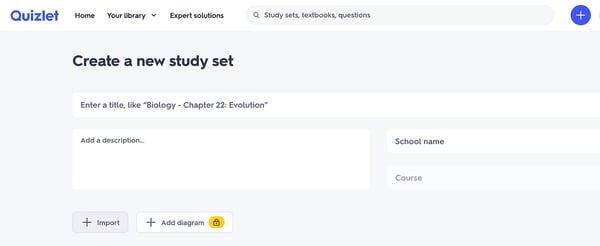
Go to Quizlet and create a new quiz:

Click import in the bottom left:
| Copy and paste the contents of the text file into the text box. Next to "Between term and definition" choose custom and type "Answer:". Next to "Between cards" choose custom and type "Question:". | 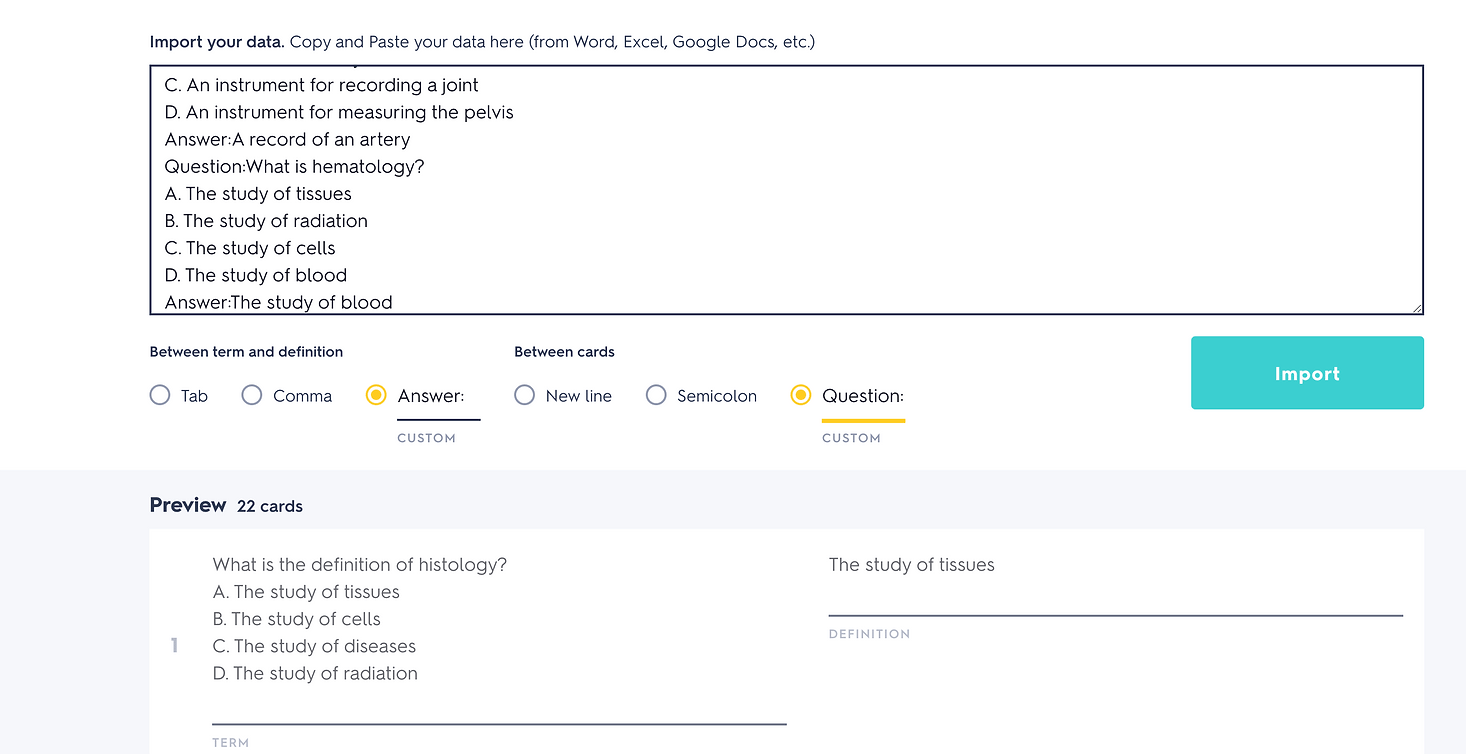 |
| --- | --- |
Then just name your quiz and click Create!
[See All Export Options](https://questionwell.org/export-options?hsLang=en)
.png?width=1000&height=248&name=QW%20LOGO%20(2).png "QW LOGO (2)")
[Terms of Service](https://questionwell.org/terms-of-service?hsLang=en)
[Privacy Policy](https://questionwell.org/privacy-policy?hsLang=en)
[FAQs](https://questionwell.org/faqs?hsLang=en)
[Contact Us](https://questionwell.org/contact?hsLang=en)